
MyQuickCloud - Google Play
You'll be able to see results in few seconds.
Publisher Description
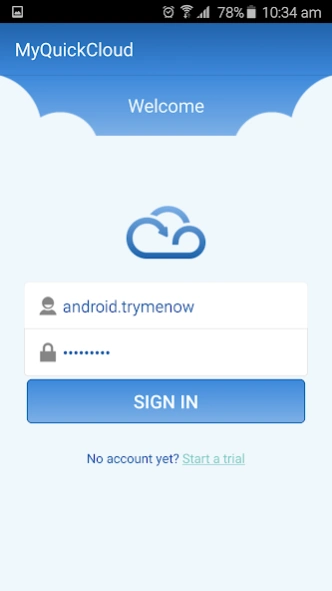


Cloudify any desktop software instantly and use them from anywhere.
Collaborate with clients or users by inviting them to use and share data and softwares. Forget about sending files back and forth to a client or rushing to their office just for a simple data input. You can now directly open their application and data in a giffy
Enable people to work better and faster on desktops, laptops, iPhones, iPads and Android devices. We know that your business never really shuts down. So we made sure that when you are connected, your applications are available from the tip of your fingers
Maximize your investment by expanding current setup. Keep your data in your office, not in the cloud. Don't worry about managing your IT infrastructure anymore. MyQuickCloud adapts perfectly to your current setup allowing your business to focus on its core activities.
Get started with our free trial now !
- Register and activate your account in less than 2 minutes on www.myquickcloud.com
- Follow our Getting Started guidelines
- Add as many users and applications as you like
- Get your team to download this free app to their Android devices and enjoy the benefits of working with MyQuickCloud!
MyQuickCloud is also available on Windows, MacOSX, Android & iOS.
FEATURES
- Application streaming : Work on your applications in real time without installing them locally
- Multi-user : Collaborate with co-workers and clients on your business applications and files
- Remote access : Access your desktop, applications and files. Each remote user will have her own private environment to work with
- Multi-location : Access your business applications on the move and manage your host from anywhere
- Centralize files : Store all your files in one place for easy access and management
- Remote printing : Print directly from your remote computer or on printers in the office
- Quick setup : Quick and easy to setup. You can now stream your existing desktop applications in a giffy
- Secure & private : We provide high internal privacy settings. Powerful data encryption technology protects the data
FEATURES
- Easy to install - Download the software and it will immediately launch, install and configure
- Quick to create - Create your own 'cloud' in 5 logical steps
- Simple to Use - Users can typically access MyQuickCloud in 2 clicks without need to go through a web browser
- Multi-platform solution - PC, Mac, Tablet and Smart phone* - Work on your virtual desktop or applications from any of these devices
- Remote printing - Print files from your virtual desktop on a local printer
- Multi user remote apps access - Multiple users can remotely and simultaneously access apps.
- Creates collaborative working environment - Teams can share files and applications both between them and with external partners
- Customisable Cloud capability - Choose the cloud configuration best suited to your needs e.g. internal, external or combine into a hybrid structure
- Cost effective for SMEs - Brings remote desktop access and multi user application sharing technology within reach of SME
- Personalized dashboard for every user - The administrator can create a customized dashboard for every user showing applications and virtual desktops available to them
- Breadth of pricing options - Scalable and flexible to accommodate your changing needs
- Enhanced security-Includes a strong encryption mechanism (SSL: Secure Socket Layer) for all data transmitted, password protection, Windows authentication and a Lock Screen feature.
About MyQuickCloud
The company that develops MyQuickCloud is MyQuickCloud. The latest version released by its developer is 1.0.
To install MyQuickCloud on your Android device, just click the green Continue To App button above to start the installation process. The app is listed on our website since 2023-08-15 and was downloaded 0 times. We have already checked if the download link is safe, however for your own protection we recommend that you scan the downloaded app with your antivirus. Your antivirus may detect the MyQuickCloud as malware if the download link to com.vedivi.mqc.android is broken.
How to install MyQuickCloud on your Android device:
- Click on the Continue To App button on our website. This will redirect you to Google Play.
- Once the MyQuickCloud is shown in the Google Play listing of your Android device, you can start its download and installation. Tap on the Install button located below the search bar and to the right of the app icon.
- A pop-up window with the permissions required by MyQuickCloud will be shown. Click on Accept to continue the process.
- MyQuickCloud will be downloaded onto your device, displaying a progress. Once the download completes, the installation will start and you'll get a notification after the installation is finished.
Program Details
System requirements
Download information
Pricing
Version History
version
posted on 2023-08-15
Fixes, minor improvements
version 5.0.35
posted on 2021-10-25
version 4.4.6
posted on 2019-08-17
New MyQuickCloud App for Android
Adding most feature available in the desktop app.
Support for MyDesktop, MyApplication, MyScreen, MyWorkspace. Support for managing computers and permissions.
version 2.0.2
posted on 2015-08-18
Support for app icons,Performance improvements,Single sign-on,Minor fixes
Disclaimer
Official Google Play Link
We do not host the MyQuickCloud app on our servers. We did not scan it for viruses, adware, spyware or other type of malware. This app is hosted by Google and passed their terms and conditions to be listed there. We recommend caution when installing it.
The Google Play link for MyQuickCloud is provided to you by apps112.com without any warranties, representations or guarantees of any kind, so access it at your own risk.
If you have questions regarding this particular app contact the app developer directly. For questions about the functionalities of the apps112.com website, contact us.
